
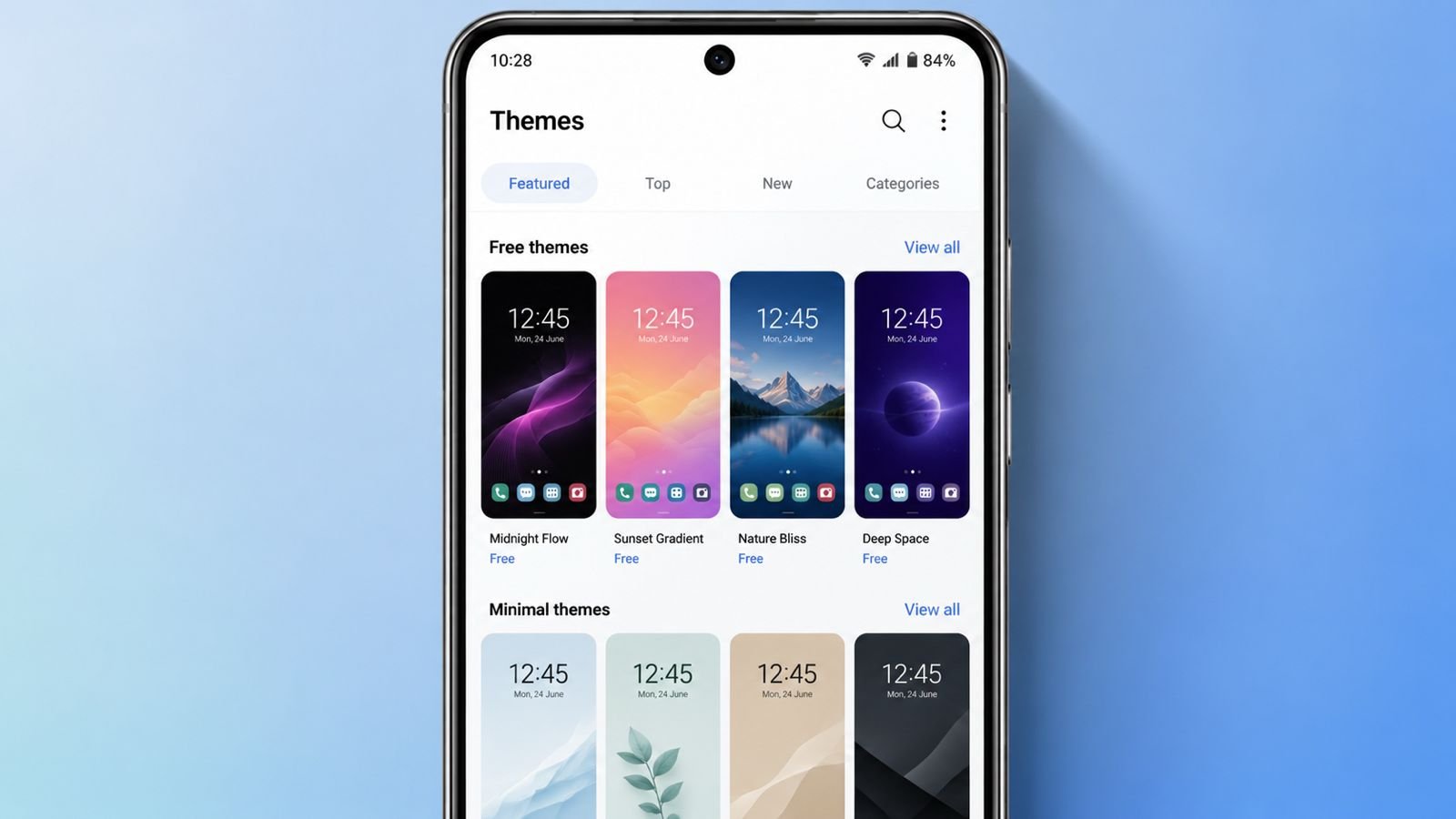

Best Free Themes for Android help personalize your phone very easily. Android offers many customization options for every user today.
Free themes, launchers, wallpapers, and icon packs improve appearance quickly. You can refresh your phone without spending any money.
Best Free Themes for Android: Install Themes Easily
Android themes are simple to install on most devices. Many themes need a compatible Android launcher first. The themes from these sources require CMM Launcher.
Download CMM Launcher before installing your selected theme. You can install themes from Google Play Store. You can also search themes inside CMM Launcher.
Open the downloaded theme after installation finishes completely. The app may request installing the required launcher. Complete the launcher installation before applying your theme.
Sometimes themes do not apply automatically after installation. Open Google Play Store and check installed applications. Find your downloaded theme and open it manually. The selected theme should apply without any problem.
Modern Android phones offer better customization than before. Older Android versions needed rooting for many changes.
Users previously rooted phones for dark themes sometimes. Today many manufacturers provide built-in customization features. Several brands also offer their own theme stores.
Google’s Material You supports personalized system color changes. Newer Android versions include this helpful personalization feature.
Older Android devices still support many customization methods. Third-party launchers remain useful for older smartphones today.
Icon packs easily change your application appearance completely. Wallpaper applications provide fresh backgrounds every single day.
Widgets also improve your home screen experience nicely. Live wallpapers create more attractive phone displays easily.
Five Beautiful Free Theme Choices
Sakura Theme
Sakura Theme creates a beautiful spring-inspired phone appearance daily. Colorful flowers make your home screen look refreshing.
This theme requires CMM Launcher before installation starts. Users can change wallpapers after applying this theme. Icons can also match personal style preferences easily.
What users may like:
- Beautiful spring-inspired design.
- Dynamic calendar icons.
- Custom wallpapers.
- Custom icon styles.
Things to remember:
- Some users may find it overly cute.
Fire Flower Theme
Fire Flower Theme gives phones a bold fiery appearance. Many icons feature attractive flame-inspired artwork beautifully.
Other icons include glowing flames around their borders. Important icons remain easy to recognize every time. Useful built-in tools also come with this theme.
What users may like:
- Attractive fiery background.
- Creative flame-designed icons.
- Suitable during every season.
Things to remember:
- Text sometimes blends into backgrounds.
Ice Snow Theme
Ice Snow Theme creates a calm winter-inspired phone appearance. The frozen design looks clean and comfortable.
App icons remain simple and easily recognizable everywhere. This theme matches cold weather moods perfectly.
What users may like:
- Peaceful winter appearance.
- Easy-to-read icons.
- Comfortable screen design.
Things to remember:
- No falling snow animation appears.
Christmas Santa Theme
Christmas Santa Theme brings holiday celebrations onto your phone. Every icon receives a festive holiday appearance instantly.
Users can replace icons whenever preferred later. The theme includes a useful performance booster feature. It also supports hiding applications for extra privacy.
What users may like:
- Festive holiday icon designs.
- Performance booster included.
- App hiding feature.
Things to remember:
- Most useful during holiday seasons.
Black Silver Theme
Black Silver Theme always offers a clean professional appearance. It matches almost every Android phone case perfectly.
The design looks simple, modern, and highly elegant. Business users may especially enjoy this stylish theme. Users can customize several theme elements easily.
What users may like:
- Professional modern appearance.
- Elegant simple design.
- Flexible customization options.
Things to remember:
- Some users may prefer colorful themes.
More Customization Apps
Android offers many customization apps beyond simple themes. These applications improve appearance and everyday phone experience.
Action Launcher
Action Launcher offers powerful Android customization features today. Launcher colors automatically match your wallpaper beautifully.
Users can customize shortcuts, quick bars, and icons. Material You support creates modern phone experiences. Pixel Launcher elements also improve everyday usability.
Square Home
Square Home transforms Android into a Windows-style phone interface. The launcher uses colorful tiles across home screens.
Notifications appear through organized tile layouts clearly. Apps stay organized according to everyday usage patterns.
Premium features include animated tiles and 3D effects. Flexible subscription options are also available.
Energy Bar and Energy Ring
Energy Bar displays battery level across screen borders. Energy Ring supports phones with punch-hole cameras too.
Different versions support several Android phone designs. These applications create stylish battery level indicators.
Always On
Always On adds colorful music visualizers around screens. Edge lighting creates attractive visual effects continuously.
Many design packs support different personal preferences easily. Color palettes allow better phone personalization every day.
Screen burn-in protection options improve long-term display safety. The application supports many popular music players.
Gboard and SwiftKey
Gboard and SwiftKey remain excellent Android keyboard choices. SwiftKey provides many beautiful seasonal keyboard themes.
Gboard offers simple and clean customization features instead. Both keyboards support custom themes completely free.
Both applications deliver excellent typing performance daily. Neither application includes advertisements or extra purchase requirements.
As We Conclude
Best Free Themes for Android offer simple phone personalization for everyone. Free themes and customization apps improve appearance without difficulty.
Every user can create a fresh Android experience easily. Choose your favorite theme and enjoy a stylish smartphone daily.