
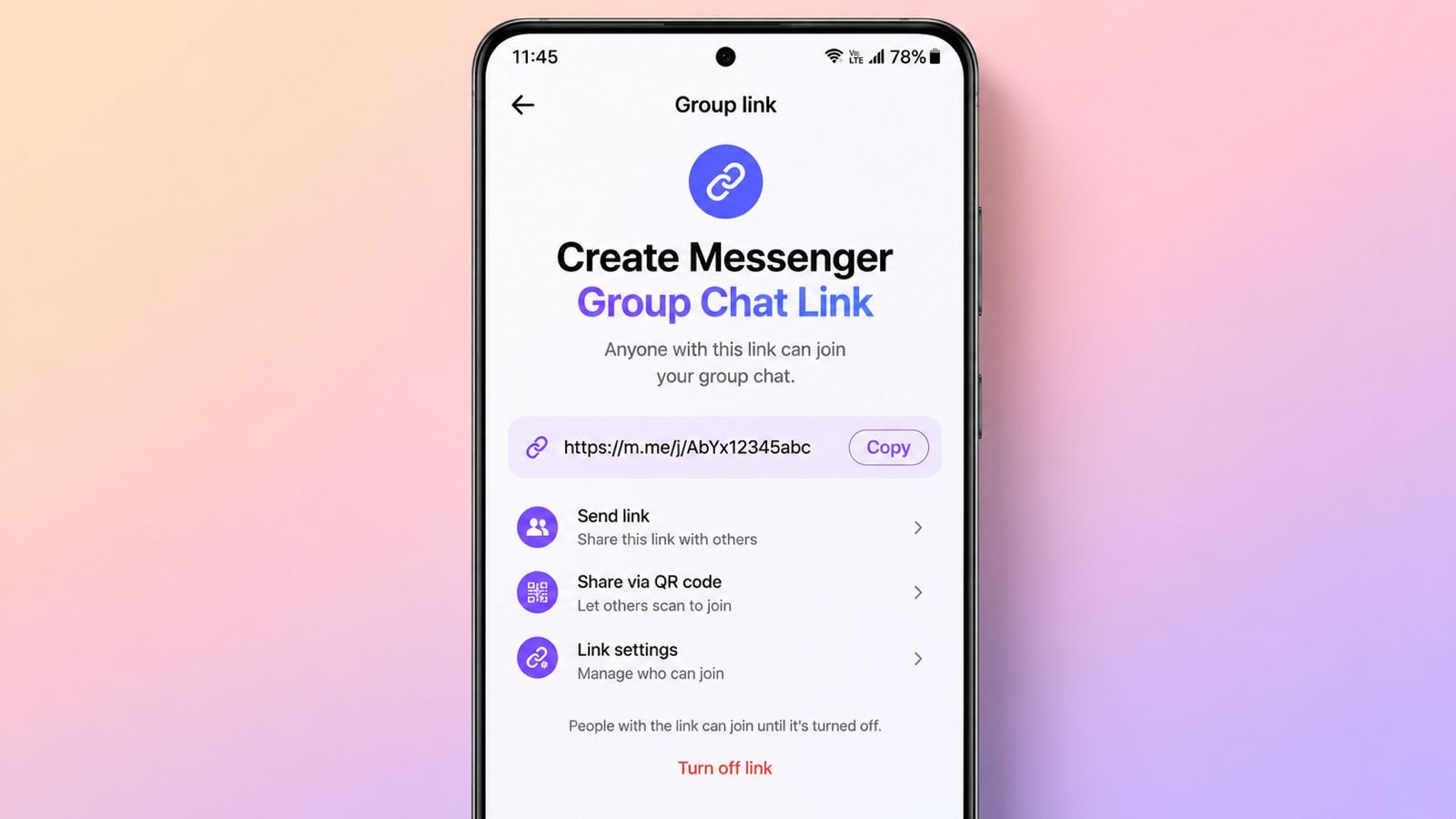

Create Messenger Group Chat Link as Tipsbyfani Suggests as it helps people communicate with many contacts. Families, friends, and teams stay connected easily.
Group chats save time and improve communication. Everyone receives updates through one shared conversation.
Create Messenger Group Chat Link as Tipsbyfani Suggests: Understanding Messenger Group Chats
Facebook Messenger is a popular messaging platform. People use it across different countries daily. Users send messages, photos, and videos easily.
They also share updates with contacts instantly. Messenger connects billions of users worldwide today. People can add friends from contact lists. Communication becomes faster and more convenient.
Messenger Group Chat allows multiple people chatting together. Instead of sending separate messages repeatedly, users communicate through one conversation.
Every message reaches all selected members immediately. This feature helps organize personal conversations better. It also supports professional communication needs effectively.
Messenger Group Chat supports many members together. A single group can include 250 members.
This makes large discussions easier and faster. Event planning becomes more organized and efficient. Group members stay informed about important updates.
Main Features Available Inside Messenger Groups
Messenger offers several useful group communication features.
These features include:
- Send text messages instantly
- Share photos with group members
- Share videos inside conversations
- React using different emojis
- Create polls for group decisions
- Play games with group members
- Share files and documents easily
- Make video calls when needed
- Customize conversation appearance quickly
These features improve overall communication experiences significantly.
Benefits of Messenger Group Chats
Messenger groups help people stay organized daily. Everyone receives information at the same time. Important announcements never get missed easily.
Discussions become clearer and easier to follow. Groups help friends plan activities together. Families can share updates quickly. Business teams coordinate tasks more effectively.
Clients receive personalized communication from businesses. This creates stronger relationships and better engagement.
Creating Messenger Groups Easily
Creating a Messenger group requires only minutes. The process remains simple for every user.
Create a Messenger Group on Android
Android users can create groups very quickly.
Follow these steps carefully:
- Open the Messenger application first
- Tap the New Message icon
- Locate contacts from displayed list
- Select people using available checkmarks
- View selected profile pictures above
- Continue selecting desired group members
- Tap OK after selecting everyone
- Open the newly created conversation
- Tap the Name Group option
- Enter a suitable group name
Your Messenger group becomes active immediately.
Create a Messenger Group Using Desktop App
Desktop users follow a simple process. Complete these steps:
- Open the Messenger desktop application
- Click the New Message option
- Select group participants carefully
- Type names if necessary manually
- Write your first group message
- Click Send to begin chatting
The conversation automatically becomes a group discussion.
Create a Messenger Group Through Messenger.com
Messenger website users follow similar instructions.
Use these steps:
- Open Messenger.com using your browser
- Locate the Chats section easily
- Click the New Message option
- Enter names of group members
- Write your first group message
- Click Send to finish setup
The group conversation starts immediately afterward.
Use the New Group Feature
Messenger also provides a dedicated option. Follow these instructions:
- Open Facebook Messenger application
- Tap the New Message icon
- Select the New Group feature
- Search for desired contacts
- Add people into the group
- Create a suitable group name
- Add a representative group photo
- Complete the setup process
You can include up to 250 members.
Choose a Good Group Name
Group names improve conversation organization greatly.
Examples include:
- Family Chat
- School Friends
- Office Team
- Travel Group
- Event Planning Team
Clear names help identify conversations faster.
Add a Group Photo
Group photos improve recognition significantly.
Users may choose:
- Family photographs
- Team logos
- Vacation pictures
- Event images
- Organization symbols
Photos make conversations easier to identify.
Managing Groups Successfully
Creating groups represents only the beginning. Proper management improves the overall experience.
Customize Your Group Chat
Messenger offers several customization options.
Users can personalize groups through:
- Changing conversation colors
- Updating group names
- Adding custom group photos
- Adjusting privacy settings
Customization creates a better group identity.
Manage Group Members
Group administrators control member management easily.
Administrators can:
- Add new participants
- Remove unwanted members
- Monitor group activities
- Maintain organized conversations
Good management improves group communication quality.
Control Notifications Properly
Notification settings help avoid interruptions.
Members can:
- Mute conversations temporarily
- Adjust notification preferences
- Focus on important discussions
This improves overall communication convenience.
Share Files and Important Content
Messenger supports different content-sharing options.
Members can share:
- Photos
- Videos
- Documents
- Files
- Links
Information reaches everyone quickly and efficiently.
Create Polls and Plan Events
Polls simplify decision-making for groups greatly. Members vote quickly on important choices.
Event planning becomes smoother and more organized. Everyone remains informed throughout planning activities.
Improve Team Collaboration
Messenger groups help teams collaborate effectively. Shared information improves workplace productivity significantly.
Team members exchange ideas quickly together. Projects move forward with better coordination.
Remote workers stay connected throughout projects. Important updates reach every member instantly. This reduces delays and improves communication.
Cost-Effective Communication Solution
Messenger Group Chat remains completely free today. Businesses avoid expensive communication software subscriptions.
Teams communicate without additional operating expenses. This makes Messenger attractive for organizations.
Maintain Privacy and Safety
Safe communication remains very important always. Group settings should be reviewed regularly. Members should respect community guidelines consistently. Inappropriate behavior should be reported immediately.
Privacy settings help protect group information. Safe environments encourage positive participation daily. Respectful communication improves every group experience.
As We Conclude
Create Messenger Group Chat Link as Tipsbyfani Suggests for easier communication. Messenger groups support families, friends, and businesses.
They offer sharing, collaboration, planning, and engagement. Simple setup steps and useful features help everyone stay connected successfully.